7 Best Crypto Research Tools for Traders in 2026
Compare the best crypto research tools for retail, pro and on-chain analysts: pros, cons, workflows and picks for Solana and DEX traders in 2026.
Published
Updated
A Solana token starts climbing the trending list at 2 a.m. The chart looks strong, holder count is rising, and the clock is running. Before you press buy, you need to know which question matters most: Is the market active, who holds the token, or are those wallets connected?
The best crypto research tools don't all answer the same question. A charting platform can show momentum without telling you whether liquidity is likely to hold. A block explorer can show transfers without explaining what they mean. This guide maps seven tools to the jobs they do, then shows how retail traders, pro traders, and on-chain analysts can combine them into a practical research stack.
Table of Contents
- 1. MemeAssist
- 2. DEX Screener
- 3. Birdeye
- 4. Solscan
- 5. Bubblemaps
- 6. Nansen
- 7. DEXTools
- How the Seven Crypto Research Tools Compare by Job, Access and Pricing
- Build Your Research Stack Before Your Next Trade
1. MemeAssist
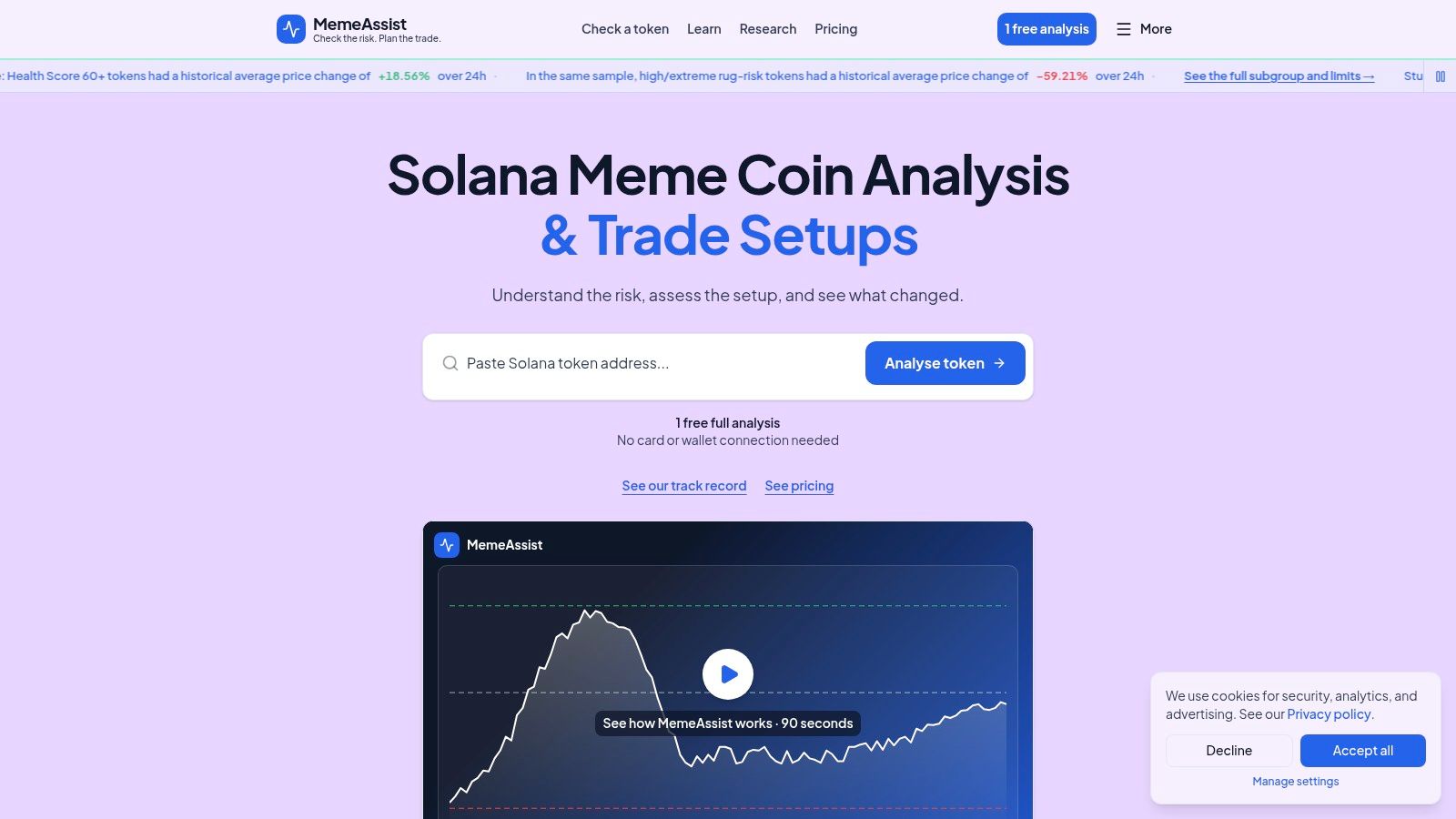
A Solana token can look active while its liquidity, holder distribution, or wallet activity raises concerns. MemeAssist brings those checks together in an explained report with an Overall Health Score, Rug Risk Rating, plain-English AI Verdict, and Detailed Risk Breakdown.
The analysis covers six signal categories: liquidity, holder distribution, creator behaviour, wallet activity, trading patterns, and historical risk indicators. It also checks mint and freeze authorities, holder concentration, creator history, and trading activity for signals such as bundled or insider behaviour. The benefit is a single report connecting token checks, wallet evidence, and market structure. It gives you a second opinion, not a guarantee that a token is safe.
What the report can and can't tell you
Every full analysis checks whether the token's current price structure supports a conditional Trade Setup. Entry, stop-loss, and target levels appear only when the available evidence supports them. If conditions do not support those levels, the report does not force a setup.
MemeAssist has analysed 20,000+ tokens. Its dated reports let you review the evidence behind an analysis, while tracking suspicious tokens after they are flagged helps inform ongoing screening. Neither a score nor a trade setup guarantees an accurate prediction or a safe exit.
Practical rule: Use the report to identify risks and questions for further research. Set your position size and acceptable exit slippage separately.
Eligible new users can start with one free full analysis. Each additional full analysis costs $0.20, including a conditional Trade Setup when the available data supports one. Payment is available by card, Apple Pay, Google Pay, or USDT or SOL deposit. No wallet connection or transaction signing is required.
MemeAssist's trade-off is its Solana-only focus. Use it when you want an explained risk analysis tied to a Solana token. Choose a charting or market-scanning tool instead when your main question is what is trading across a wider range of chains.
2. DEX Screener
DEX Screener answers a practical question: what is trading, and how is its pair behaving? Pair pages show charts, prices, and trading activity across supported chains and decentralized exchanges. Use them to scan newly active pairs, compare market conditions, and set watchlists or alerts before deciding which tokens deserve closer research.
Market snapshots add useful context. CoinGecko's historical market data tracks roughly 22,570 cryptocurrencies and 1,516 exchanges, alongside market capitalization, volume, and dated price history (CoinGecko's historical market data). These figures describe the broader market; they don't validate a specific pair's volume or explain who is trading it.
Use discovery as a filter, not a safety check
A trending pair is a lead, not a verdict. Charts show whether activity is accelerating or fading, but they can't establish that a token is safe, that liquidity will remain, or that reported volume comes from independent buyers.
Treat volume as a clue, not proof of demand. Wash trading can inflate reported activity, so a sharp volume increase deserves checks beyond the chart. Use DEX Screener to shortlist tokens and monitor pair-level behavior, then turn to tools that examine liquidity, holder distribution, wallet activity, or token permissions. Developers can also use its public API and documentation for market-data workflows, though the feed still needs interpretation.
DEX Screener's strength is accessible discovery and charting. Its limitation is clear: market activity is not a token-safety rating.
3. Birdeye
Birdeye fits traders who want market monitoring with more trader-oriented context, especially on Solana. Its token charts and historical market data help you compare movement over time, while trending lists offer a way to surface candidates for further review.
The useful question here isn't whether a token is rising. It's whether the activity looks different across timeframes and how traders are interacting with the token. Birdeye's trader-activity views can add that perspective for Pro users, while CSV downloads can help you carry data into a separate workflow.
Separate the product you need
Birdeye has distinct retail and developer offerings. Its Pro product and API services aren't the same purchase, so a retail trader looking for richer research views should check that the chosen product includes the functions they expect. A developer who needs programmatic data should evaluate the API separately.
That distinction prevents a common mismatch: paying for a trading interface when the actual need is data access, or expecting API capabilities from a retail research plan. Compare the exact features and terms that apply to your intended use before building a workflow around them.
Birdeye's strength is combining market monitoring and trader-oriented views in one place. It can help you compare activity rather than rely on a single snapshot, but activity metrics don't prove that trades are organic. A cluster of trades can still leave unanswered questions about who is buying, whether wallets are related, and whether the pool can support your exit.
For a practical pass, use Birdeye to study the token's market behaviour and trader activity, then move to an explorer or wallet-analysis tool to investigate addresses. Treat the chart as evidence about trading conditions, not as confirmation of token safety.
4. Solscan
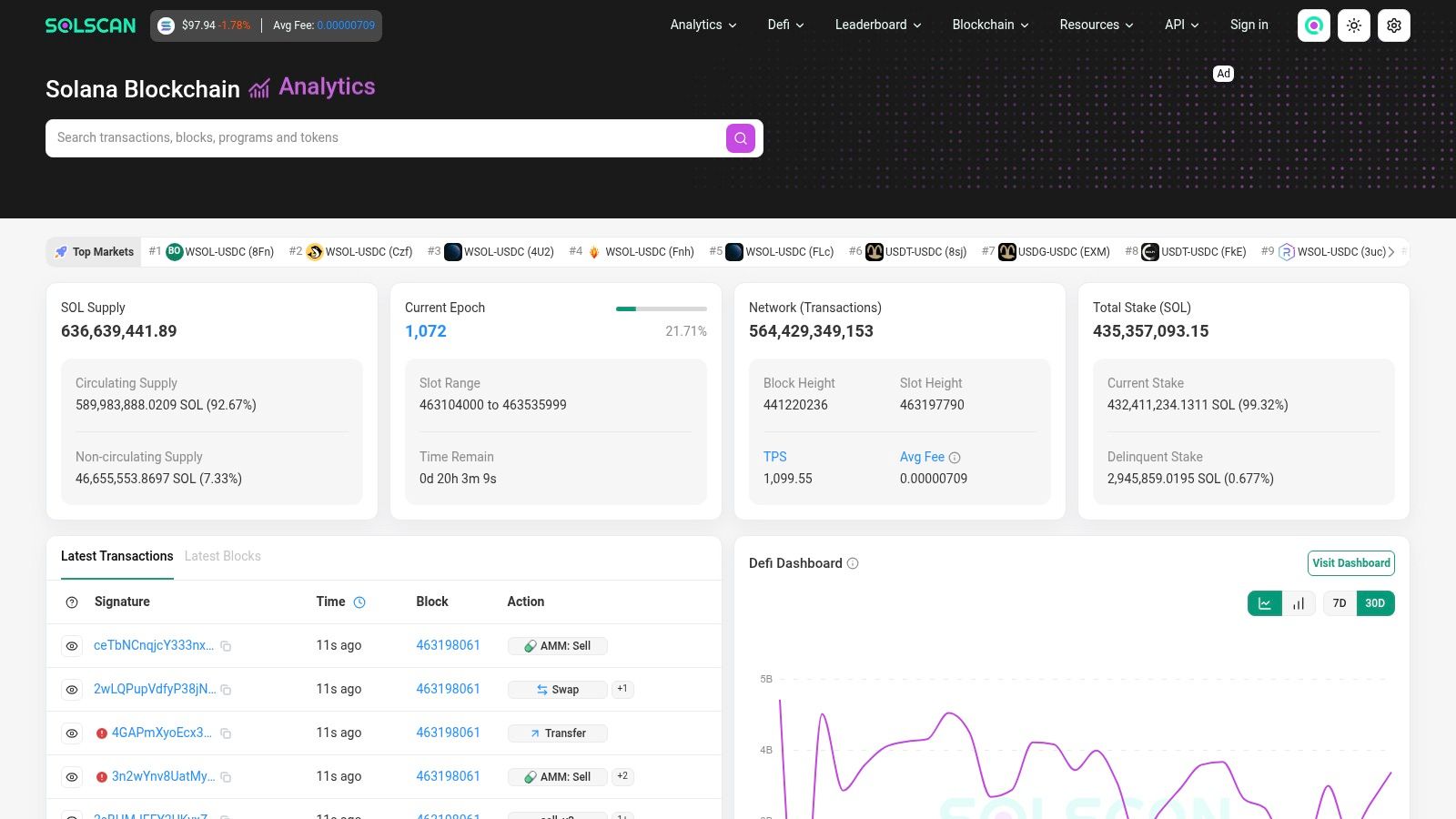
Solscan answers a different question from a market dashboard: What happened on Solana, and which addresses were involved? Its token pages, holder analytics, and transaction records let you move from a token overview to the wallets and transfers behind it.
Start with the holder list and concentration views. Look for whether ownership appears clustered, whether holder counts are changing, and whether large holders are moving tokens. Then open the addresses that matter and examine their transactions. A token page gives you a route into the underlying evidence; it doesn't automatically explain the relationships you find.
Read addresses in context
A top address might be a liquidity pool or another non-investor account. Don't assume that every large balance represents a person who can sell into the market, and don't interpret a wallet label or concentration figure in isolation. Check the address's role and transaction history before drawing a conclusion.
Exchange trading and blockchain settlement don't measure the same thing. The Bank for International Settlements found that measured Bitcoin on-chain and off-chain trading volumes had a 0.4–0.6 correlation from 2020 through February 2023, depending on data sources and assumptions (the BIS working paper on crypto trading and Bitcoin prices). That finding concerns Bitcoin, but the research lesson travels: market feeds and blockchain records show different parts of activity, so don't treat one as a complete picture.
Solscan is useful when you need Solana-specific transaction and wallet detail, or want to follow a finding from a token page into specific transfers. It's less useful when you expect raw on-chain data to explain itself. Use it to verify and investigate; pair it with tools that interpret holder relationships or combine evidence into a readable risk report.
5. Bubblemaps
A wallet list is hard to scan for relationships. Bubblemaps turns token ownership into an interactive visual map, making it easier to notice clusters and possible links between holders. Its multichain support includes Solana, and its Time Travel feature lets users explore changes in token distribution over time.
A map is most useful as an investigation prompt. If several large holders appear connected, open the relevant wallets and inspect their transaction histories. Ask whether the pattern has a straightforward explanation, such as shared funding or coordinated transfers, before concluding that the addresses have a common owner.
Follow the visual clue with transaction evidence
A visible connection is not proof of common ownership or misconduct. Wallets can interact for reasons that don't imply control by the same person, and a graphic can make an ambiguous relationship look more certain than it is. Confirm the pattern with transaction details and other sources before you act on it.
Start with a question, such as “Why did these holders receive tokens at similar times?” Then use the map to find the addresses and the explorer to check the transfers.
Bubblemaps complements Solscan rather than replacing it. The map helps you spot a pattern; the explorer helps you inspect the underlying activity. If you're new to interpreting wallet clusters, this guide to reading a crypto bubble map can help you understand what a visual link does and doesn't establish.
Choose Bubblemaps when the distribution looks more important than the chart and you want a faster way to explore possible wallet relationships. Skip treating the map as a verdict. It shows a visual interpretation of on-chain links, not the identity or intent of the people behind an address.
6. Nansen
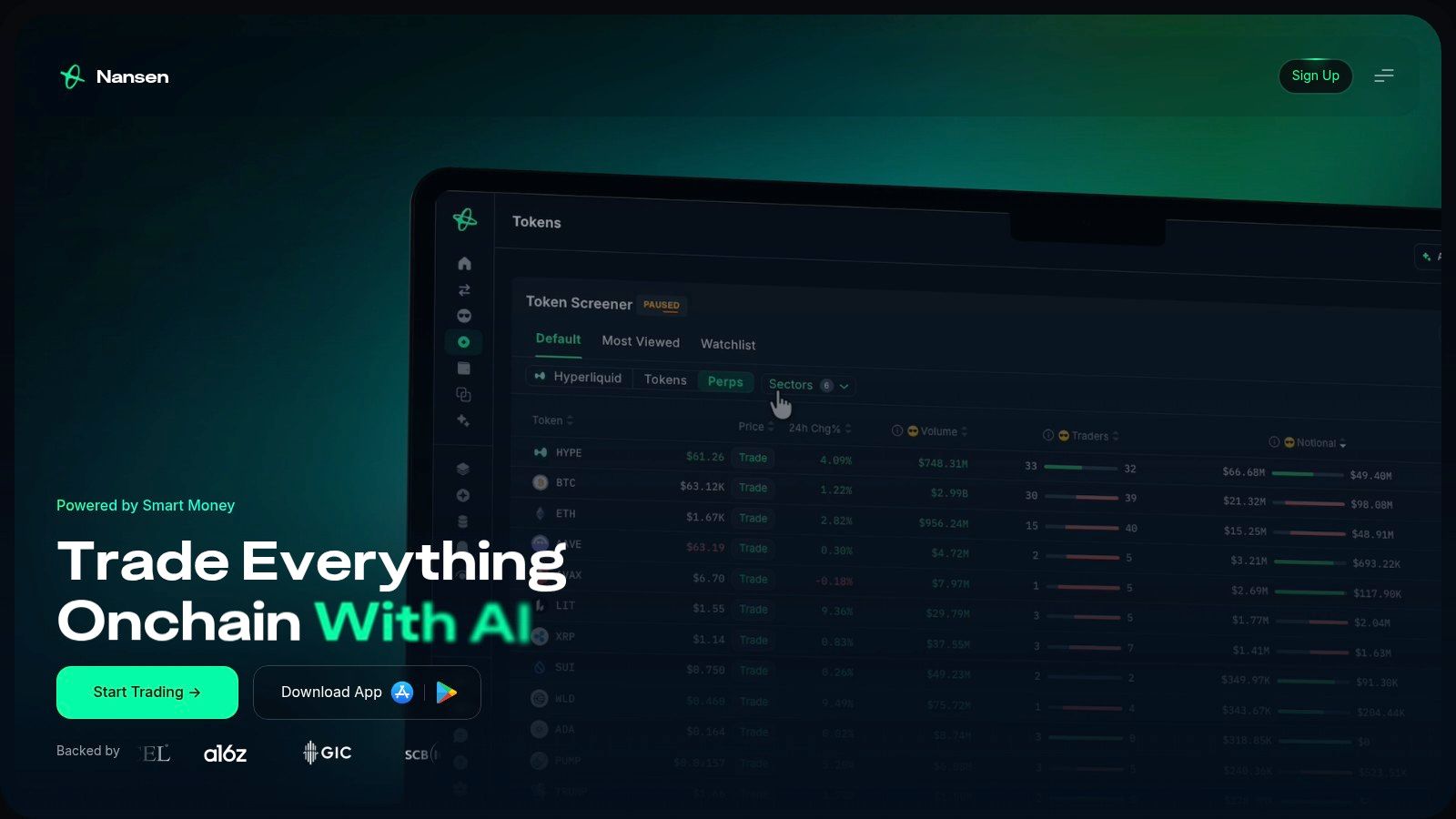
Nansen is for traders who want to monitor wallets beyond a single token lookup. Its wallet labels, portfolio tools, Smart Money tracking, and alerts can help you follow addresses and flows across supported chains, including Solana. That makes it a broader research and monitoring platform, not a dedicated meme-coin safety scanner.
The key question is “What are the wallets I care about doing?” A label can give an address useful context, and an alert can help you notice activity without repeatedly checking a wallet manually. But the label is a clue, not a trade instruction. A wallet described as Smart Money can still make a bad trade, and copying an address doesn't tell you its timing, risk tolerance, or exit plan.
Monitoring has a cost
Nansen's cross-chain coverage can suit traders who follow activity beyond Solana or need continuing portfolio and wallet monitoring. If you only look up a new token occasionally, a subscription may be more than you need. Match the plan to the frequency and breadth of your research instead of assuming that more labels automatically produce better decisions.
For a focused workflow, use wallet labels to identify addresses worth investigating, then open those wallets in an explorer and check what they did. This guide on tracking Smart Money wallets on Solana covers why following addresses requires more than copying a buy.
Nansen does the wallet-monitoring job better than a one-off token risk report. It doesn't replace one: wallet context can help explain who is active, while a dedicated token analysis can assess liquidity, holder concentration, creator behaviour, trading patterns, and other token-specific risks.
7. DEXTools
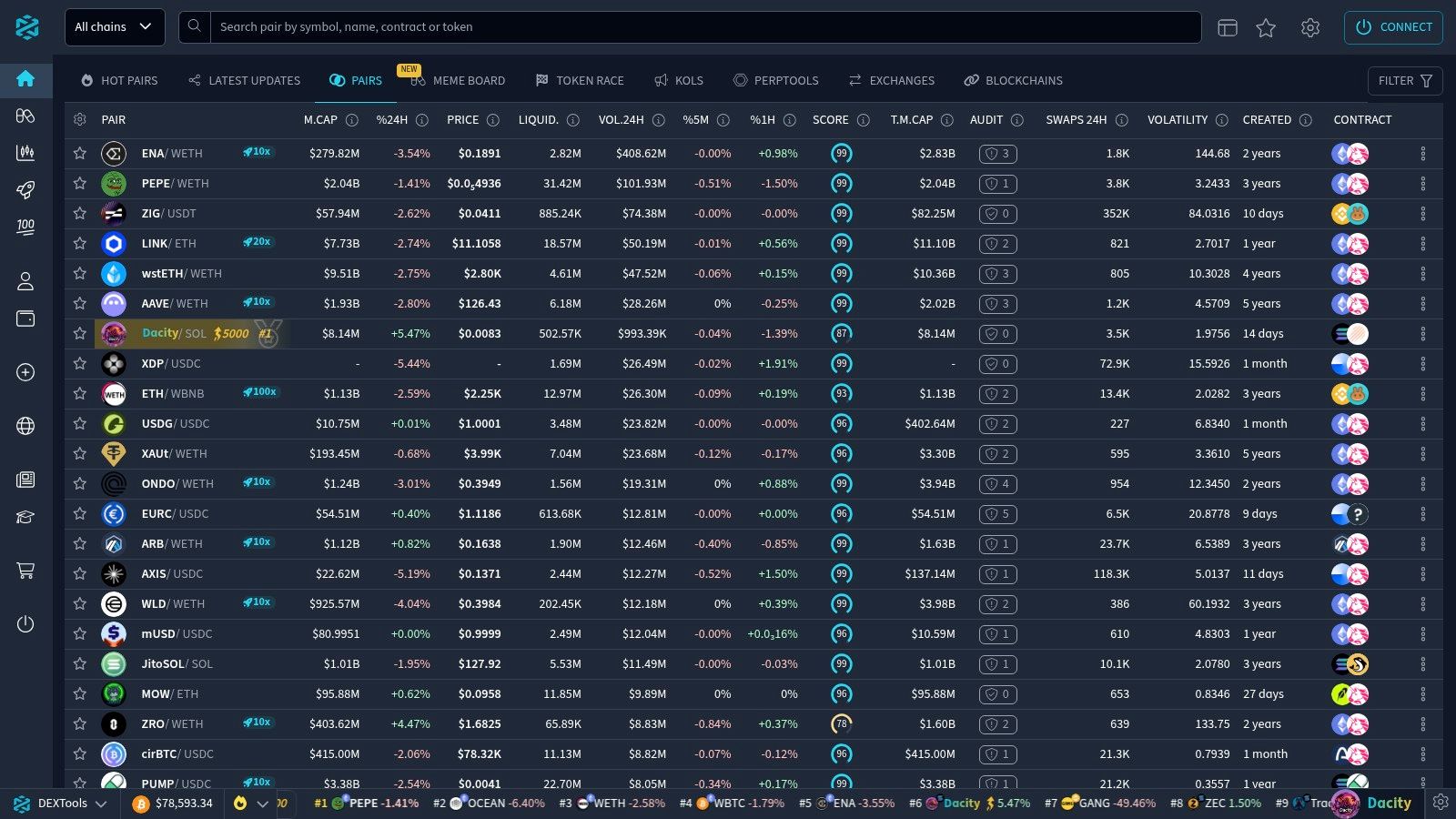
DEXTools is another DEX analytics option for traders who want pair discovery, charts, and market monitoring. Its pair explorer and hot-pair tools help surface active markets, while multichart and trading-statistics features support comparison. Favorites, desktop alerts, and Telegram price bots can keep a watchlist in view.
If you already use DEX Screener, the decision isn't about collecting both brands. Compare their interfaces and the features you use. If one gives you the pair discovery and alerts you need, adding an overlapping screener may add more tabs without adding meaningful evidence.
Useful for monitoring, not due diligence
DEXTools can work well for a DEX-focused trading routine: find a pair, review the chart, save it, and set alerts. It also offers a free tier for basic exploration and a separate API product with usage quotas and rate limits. Some advanced access requires DEXT or a paid plan, so check the specific terms before relying on a feature.
Pair-level analytics still can't answer whether token permissions are risky, holders are connected, or liquidity is likely to remain available. Use DEXTools to monitor market conditions, then move to a block explorer, a wallet-relationship map, or a dedicated risk analyzer for those questions.
For more options focused on finding and screening meme coins, browse this guide to meme-coin scanners. The choice comes down to the job: DEXTools is a market-discovery and monitoring tool, not an all-in-one token safety check.
How the Seven Crypto Research Tools Compare by Job, Access and Pricing
| Tool | Best for | Free access | Core focus | Paid access |
|---|---|---|---|---|
| MemeAssist | Solana meme-coin risk analysis | One full analysis for eligible new users; free scanners, charts, and explorers | An explained token report covering on-chain and market signals, with a conditional trade plan when data allows | Prepaid, pay-as-you-go analyses; no recurring subscription |
| DEX Screener | Discovering and monitoring DEX trading pairs | Core charts and pair pages | Live pair listings, charts, prices, and volume | Public API available; no paid research plan listed here |
| Birdeye | Solana-focused market research and trader activity | Free access to market data and research features | Token charts, market data, and trader activity | Separate Pro and API offerings |
| Solscan | Exploring Solana tokens, wallets, and transactions | Public block-explorer access | Holder analytics, wallet activity, and token flows | Public explorer access; no paid tier specified here |
| Bubblemaps | Visualizing token ownership and wallet links | Interactive holder maps | Wallet relationships and historical token distribution | API and embed options |
| Nansen | Tracking labeled wallets and activity across chains | Free access to selected features | Wallet labels, Smart Money tracking, and monitoring | Pro subscription |
| DEXTools | DEX pair discovery, charting, and alerts | Free tier for basic exploration | Pair analytics and trading activity | Advanced features may require DEXT or a paid plan; API plans are also offered |
The tools answer different research questions. Use DEX Screener, Birdeye, or DEXTools to see what a market is doing. Solscan exposes token and wallet activity, while Bubblemaps helps visualize possible connections among holders. Nansen adds labeled-wallet context. MemeAssist brings Solana token checks, wallet evidence, and market signals together in an explained risk report.
Build Your Research Stack Before Your Next Trade
No single tool answers every question. Start with a discovery platform such as DEX Screener or DEXTools to find candidates and watch pair activity. Use Solscan to inspect holders and transactions, then add Bubblemaps when you want to investigate possible links between wallets.
For ongoing wallet monitoring, Nansen can add labelled-address context and alerts. For a token-specific second opinion, use a dedicated risk report such as MemeAssist to bring liquidity, holders, creator behaviour, wallet activity, trading patterns, and historical indicators into one explained analysis. These tools do different jobs: a chart shows market behaviour, an explorer exposes transactions, and a risk report organizes multiple signals for review.
Keep token safety separate from trade survivability. A token might not show an obvious permission risk and still be difficult to exit if liquidity is thin or shifting. Ask whether the pool can support your planned position, how much slippage an exit may involve, and whether liquidity or trading activity is changing. A static volume or liquidity figure can't answer every execution question.
Fraud risk also isn't limited to meme coins. The Federal Trade Commission reported that consumers lost $5.7 billion to investment scams in 2024, a 24% increase from 2023 (the FTC's 2024 fraud-loss figures). That's a broad consumer figure, not a measure of crypto-only losses, but it's a useful reminder to treat urgent pitches and easy-profit claims with caution.
Before opening a position, decide how much you can afford to lose and what evidence would make you pass. Treat scores, wallet labels, and maps as leads for further research, not verdicts. If the tools disagree, inspect the underlying transactions and liquidity conditions instead of choosing the signal that supports the trade you already want to make.
Run a MemeAssist report before your next Solana meme-coin trade to review its risk checks, evidence, and conditional trade setup when market structure allows. Visit MemeAssist to start with an eligible free analysis and add a second opinion to your research stack.