Check Token Contract Safety on Solana: Step by Step
Learn how to check token contract authorities, Token-2022 extensions, holder concentration and liquidity on Solana before buying, without signing anything.
Published
Updated
You've found a new Solana token in a chat, the chart's already moving, and someone has pasted a contract address with the word renounced next to it. That label is where most traders stop checking. It shouldn't be. A proper check token contract routine starts with mint and freeze authority, then asks what else can still move, block, or drain your position after those fields read None.
You don't need to connect a wallet or sign anything to run the checks below. You need the mint address, an explorer tab, and a willingness to walk away when the answers don't line up.
Table of Contents
- Token Contract Checks at a Glance
- How to Read Mint and Freeze Authority
- Token-2022 Extensions Revocation Does Not Remove
- Non-Signing Tests Before You Buy
- Scam Flags to Read Together After Launch
- Decide Whether the Token Passes Before You Trade
Token Contract Checks at a Glance
This routine covers Solana tokens only, both legacy SPL Token and Token-2022. EVM tokens need a different workflow built around owner functions and verified source code, so don't apply these readings to an Ethereum contract.
| Check | Where to read it | Safe reading | Red flag |
|---|---|---|---|
| Mint authority | Token or mint account view on Solscan or Solana Explorer | None (revoked) | Active address that can still create supply |
| Freeze authority | Same mint account view | None (revoked) | Active address that can freeze your token account |
| Token program | Owner field of the mint account | SPL Token, or Token-2022 with known extensions | Unknown program ID or unfamiliar extensions |
| Token-2022 extensions | Extensions list on the mint account | None, or metadata only | Transfer hook, permanent delegate or non-zero transfer fee |
| Top 10 holder share | Holders tab | Supply spread across many unrelated wallets | A few wallets, or creator-linked wallets, holding most supply |
| Liquidity pool control | Pool account and LP token holders | LP tokens burned or locked | LP tokens held by the creator and removable |
Why the table mixes code and market checks
A clean None in the authority fields is the entry requirement, not the verdict. The first four rows describe what the token program still lets someone do. The last two describe who can hurt the price today regardless of what the code allows, and both can stay dangerous after every authority is revoked. A token with revoked mint and freeze can still carry a transfer hook, a holder base dominated by one cluster of wallets, or a liquidity pool the creator can empty.
The wider stakes explain why experienced traders run all six rows before sizing a position. Chainalysis found pig-butchering scam revenue grew year over year in 2024, one category inside crypto scam losses that reach into the billions annually. Those losses aren't all defective token contracts, but they show why permissions, liquidity control, and wallet concentration belong in one workflow rather than a single glance at a renounced label.
Treat each row as one question you must answer from the explorer, not from the project's website or social posts.
Keep this table open while you work. If you can't locate a value, that isn't a pass. It's an unanswered question.
How to Read Mint and Freeze Authority
Start with the mint account itself, because that's where Solana stores the authorities that matter. Names, tickers, and logos can be copied in seconds. The mint address can't.
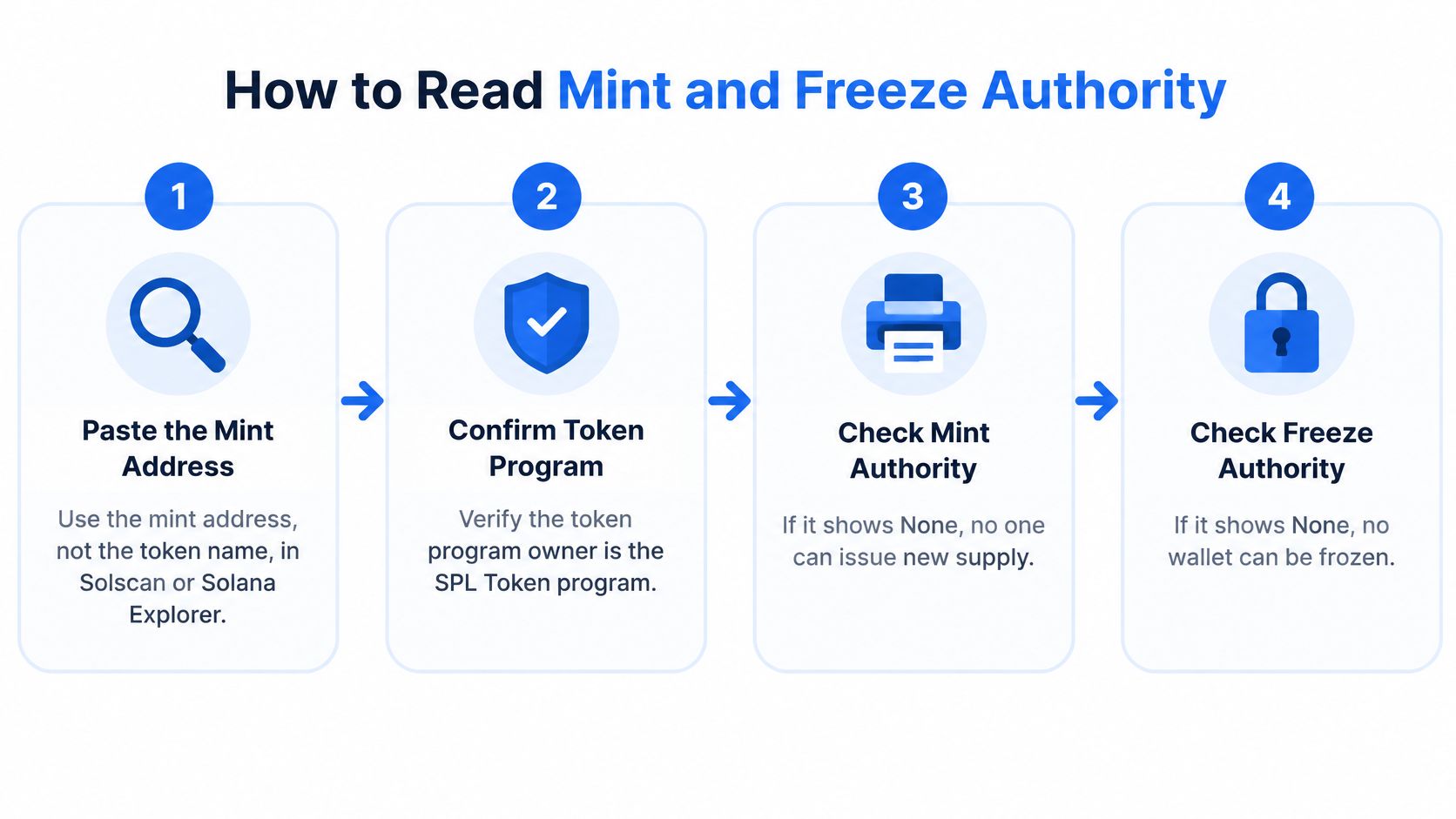
The six steps in order
- Paste the mint address into Solscan or Solana Explorer. Don't search by token name, because anyone can launch a copy with the same name and image.
- Confirm the token program owner on the mint account. You want SPL Token or Token-2022. An unfamiliar program ID means you're not reading a standard token, and standard assumptions stop applying.
- Read mint authority. None means supply is fixed. An address means that wallet can still create new tokens and dilute every holder.
- Read freeze authority. None means nobody can freeze token accounts. An address means a holder's balance can be locked in place, unable to transfer or sell.
- Open transaction history and look for SetAuthority instructions. These show whether an authority was revoked, and when, or merely handed to a different wallet.
- Score any active authority as residual risk. It doesn't matter how the project page describes it. If the field holds an address, the power exists.
The Solana documentation on freezing accounts describes freeze authority as a separate control that can prevent token accounts from receiving, transferring, or burning assets, while mint authority can create additional tokens through MintTo unless it's set to None. That's why you read both fields independently. One can be revoked while the other stays live.
Say a token's website says renounced in large type, but the explorer still shows an active freeze authority. The website is marketing. The mint account is the state the program enforces, and it's the only version that counts when you try to sell. If you want the mechanics in more depth, our guide to Solana freeze authority explained walks through what a frozen account can and can't do.
Mistakes that produce false passes
Checking only the creator wallet or the token metadata misses the authority fields embedded in the mint account, which is where the answer sits. Reading a transferred authority as a revoked one is just as dangerous, because transfer preserves control and only changes who holds it. An authority moved to a fresh wallet yesterday is still fully active.
Remember the direction of travel, too. Revoking an authority to None can't be undone, so a revoked mint authority can't later be restored to print supply. That permanence is exactly what makes None valuable, and what makes any other reading a live risk.
Pass condition: Both authority fields read None, the program owner is one you recognise, and the history shows revocation rather than transfer. Anything less moves forward as a known risk, not a clean result.
Token-2022 Extensions Revocation Does Not Remove
A renounced mint isn't automatically a permissionless token. Token-2022 attaches extra controls to the mint through extensions, and revoking mint and freeze authority leaves those extensions untouched. The question changes from who can mint or freeze to what the token can still do on every transfer.
| Extension | What the controller can do | How it shows on the mint | Test before buying |
|---|---|---|---|
| Transfer fee | Withhold a fee on every transfer | Non-zero fee configuration | Sell a small amount and compare the received amount |
| Permanent delegate | Transfer or burn tokens from any holder's account | Permanent delegate address set | Check whether the delegate is a wallet you recognise |
| Transfer hook | Run a custom program on each transfer, which can reject it | Hook program ID set | Request a buy and a sell quote and check both routes |
| Default account state | Start new token accounts frozen until thawed | Default state set to frozen | Check whether a new buyer can receive a small amount |
| Close authority | Close the mint account | Close authority address set | Confirm whether the authority has been revoked |
| Non-transferable | Stop tokens from being transferred | Non-transferable flag set | Confirm that no trading route exists |
Transfer hooks deserve the closest look
A transfer hook runs a custom program on every transfer. That program can reject your transaction, demand extra accounts, or behave differently after its authority updates it. Solana's documentation on token extensions notes that transfer-hook execution occurs through a cross-program invocation for every relevant transfer, with signer privileges restricted to reduce the risk of the hook directly abusing the sender's authority. Restricted isn't the same as harmless. A hook that rejects sells outright can trap holders without ever touching their signing power.
Permanent delegate is the other extension I'd treat as close to disqualifying for a meme coin. A delegate address that can move or burn tokens from any account overrides the normal idea that holding a token means controlling it. Legitimate regulated assets sometimes need that power. A freshly launched trading token rarely does.
Test the route without signing
Request a small swap quote through an aggregator such as Jupiter without connecting a wallet. Check that a route exists in both directions and that the received amount matches what the price implies. A missing sell route, or a received amount far below expectation, tells you a hook or fee is interfering.
Know the limit of that test. A successful quote proves a route exists at that moment, at that size. It doesn't prove holders can exit at scale, and it doesn't prove the hook will behave the same way tomorrow.
Non-Signing Tests Before You Buy
Contract fields tell you what's permitted. Holder and liquidity data tell you what's likely. Every step below happens in a browser tab, with no wallet connection and no signature.
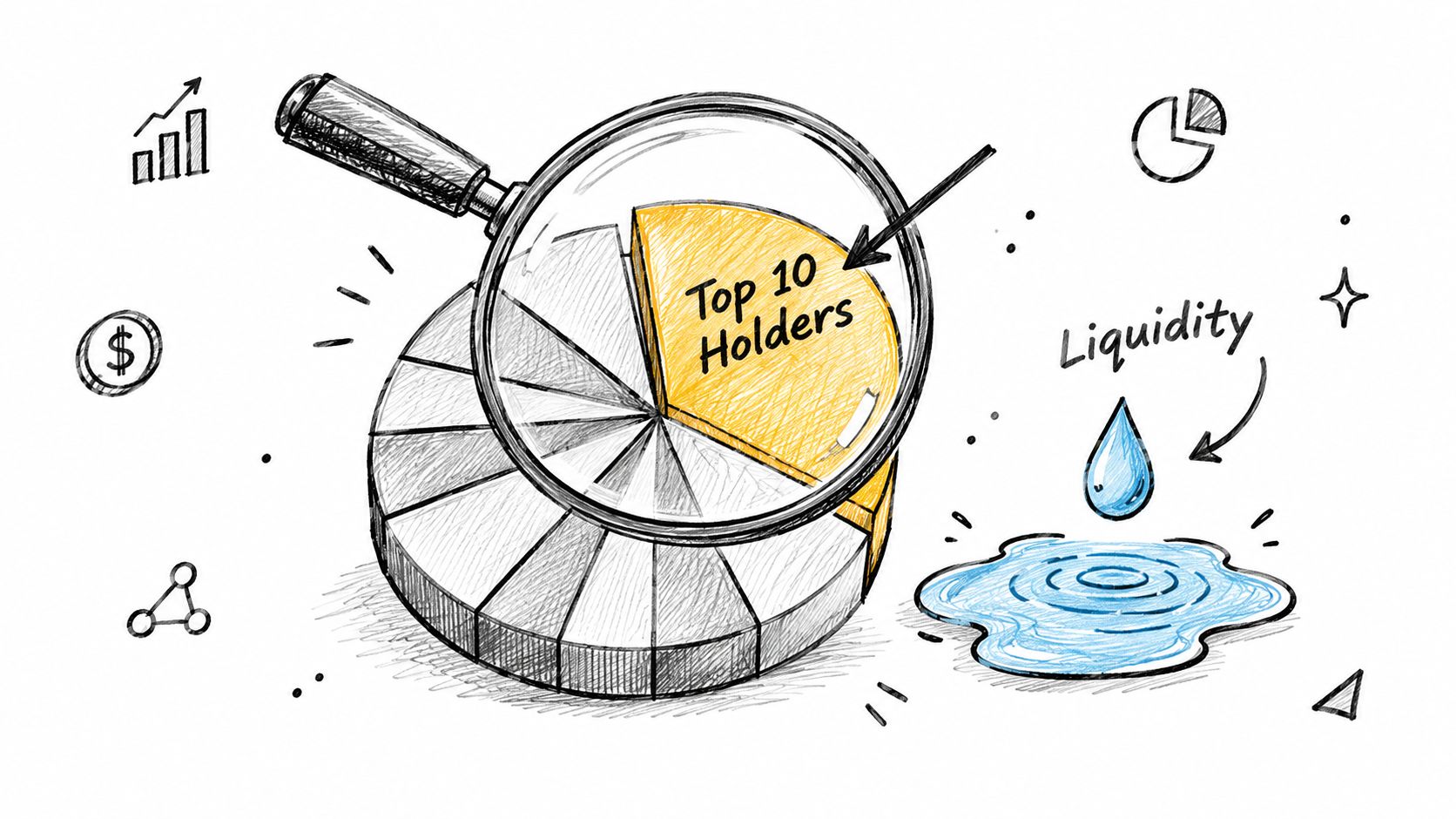
The holder view below is where concentration becomes visible at a glance.
Six checks in the explorer
- Add up the top 10 holders. Open the Holders tab and total the first ten wallets, excluding the liquidity pool account itself. A large share in few hands means a small group sets your exit price.
- Look for one operator behind many wallets. Recent creation dates, near-identical balances, and funding from the same source wallet suggest the spread is staged rather than real.
- Find the creator wallet. Check how much it still holds and whether it has moved tokens recently. A creator slowly distributing to fresh wallets is preparing exits you won't see labeled as creator sells.
- Inspect LP token control. Open the pool and check whether LP tokens are burned, locked, or sitting in a wallet that can withdraw liquidity at will. Removable liquidity means your exit can disappear, not just get worse.
- Compare pool size with market cap. A thin pool under a large market cap means one moderate sell moves the price sharply. Your quote and your execution will differ.
- Scan recent transactions for sells. Look for successful sells by wallets that aren't the creator, and for failed sell attempts. Buys succeeding while sells fail is the pattern our honeypot check guide for Solana tokens covers in detail.
Liquidity deserves urgency because it often doesn't last. A study of rug pulls across six chains reported that Solana had the highest rug-pull density at approximately 55% of flagged tokens and the shortest liquidity lifespans, with most Solana pools existing for less than one hour while 71% generated net gains for their creators. A pool that's only hours old isn't established. It's untested.
The walkthrough below shows these tabs in a live explorer session, so you can match each field name to its screen location before you try it.
None of this requires trusting a scanner's verdict. You're reading the same public accounts any tool reads, which means you can verify or dispute any score someone shows you.
Scam Flags to Read Together After Launch
A clean contract at launch settles less than traders assume. Renounced authorities remove one mechanism, nothing more. Insiders who already hold the supply, control the liquidity, and bought before you saw the ticker do not need a mint key.
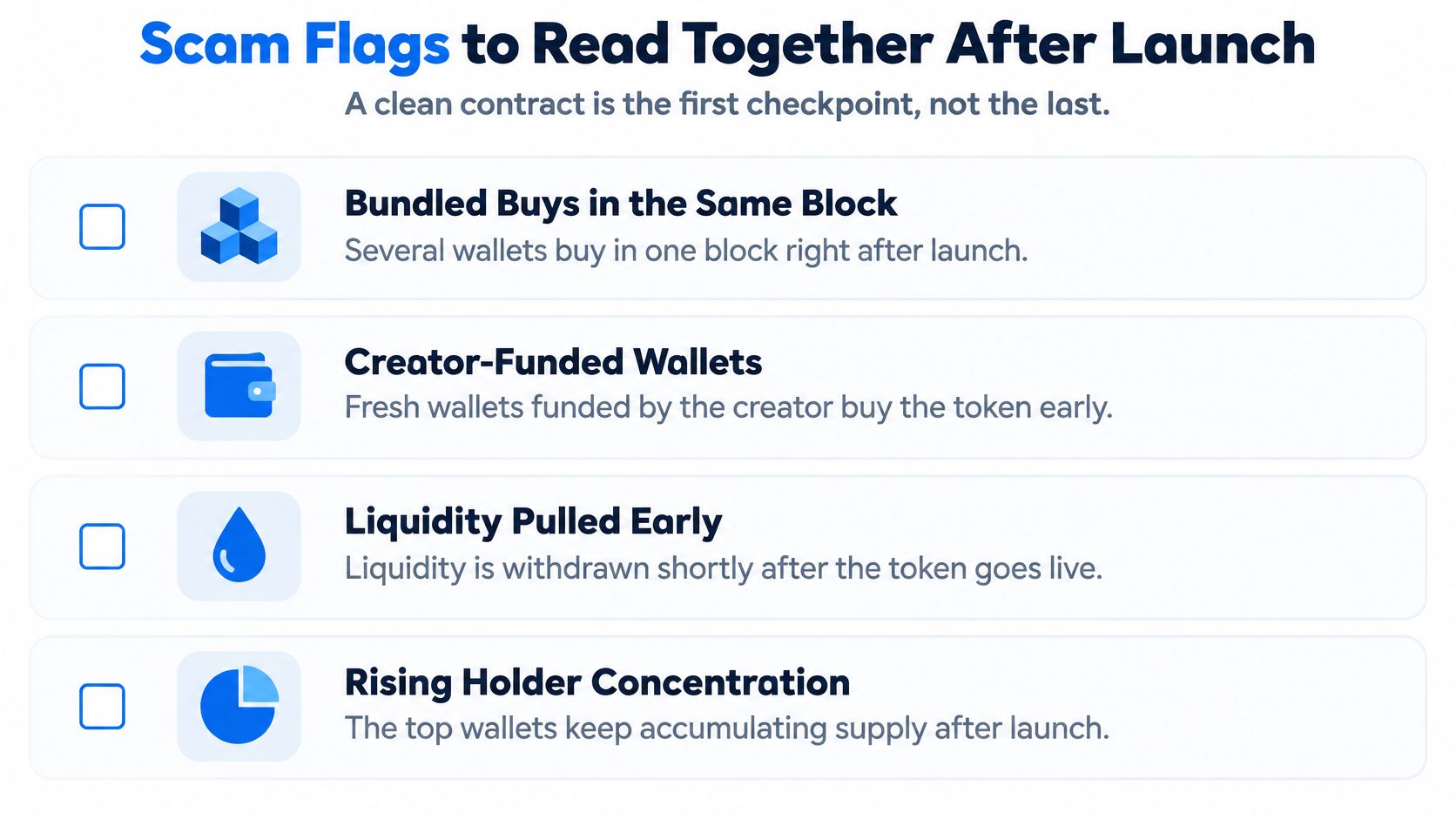
Read these signals as a group, because any one of them can appear on an honest launch:
- Bundled buys in the same block: Several wallets buy in one block right after launch, which points to coordinated entry rather than organic discovery.
- Creator-funded wallets buying in sync: Fresh wallets funded from the same source acquire early supply, then look like independent demand. The funding trail is the tell.
- High volume, few unique buyers: Activity stays loud while the buyer count barely grows, a sign of wash trading manufacturing momentum.
- Spike, sharp fall, drained pool: Price runs, then liquidity leaves within hours, and remaining holders have no real market to sell into.
Timing is why a single pre-buy check fails. Analysis of a dataset covering 6.4 million tokens found most rug-pull characteristics appeared within the first hour of launch. Many Solana tokens launched in 2025 were later identified as rug pulls through freeze-authority abuse, liquidity withdrawal, and pump-and-dump activity. The window for reading these flags is short, so a checklist that runs once at purchase misses the launch itself.
When to recheck
- At launch, before any position.
- Within the first hour, once real trading and holder data exist.
- After any large liquidity change or holder sell-off, because the market you checked may no longer exist.
Our breakdown of how to spot a Solana rug pull connects these launch signals into full patterns. The core rule stays simple. When a clean contract sits beside concentrated, coordinated holders, don't read the contract result as safety.
Decide Whether the Token Passes Before You Trade
Turn the readings into a verdict by situation, not by counting green checkmarks.
- Pass: No active mint or freeze authority, no unexpected extensions, holders spread across unrelated wallets, and liquidity burned or locked.
- Caution: One check fails while the rest pass. Name the specific risk you're accepting before you size anything.
- Avoid: An active authority, permanent delegate, or transfer hook sits beside concentrated holders or removable liquidity. That combination gives one party both the motive and the mechanism.
The routine in four steps
- Run the contract checks on the mint account and its extensions.
- Run the holder and liquidity checks without signing anything.
- Apply the post-launch recheck on schedule, not just when price moves.
- Size the position to what you can afford to lose entirely.
We offer a second opinion for research, not a guarantee that a token is safe. A token can pass our checks and still collapse because demand disappears, large holders sell, liquidity changes, or new information appears. Reading public token evidence and reopening saved reports is free, while running a new analysis is a paid action. Treat a pass as the start of monitoring, not the end of risk.
Paste the mint address into MemeAssist to run these contract, holder, liquidity, and trading-pattern checks together in one explained Solana report before you trade. You'll get a clear risk breakdown you can compare against your own explorer readings, with no wallet connection required.